September 8, 2026
Put each recipient's Spokenote video in your email campaigns
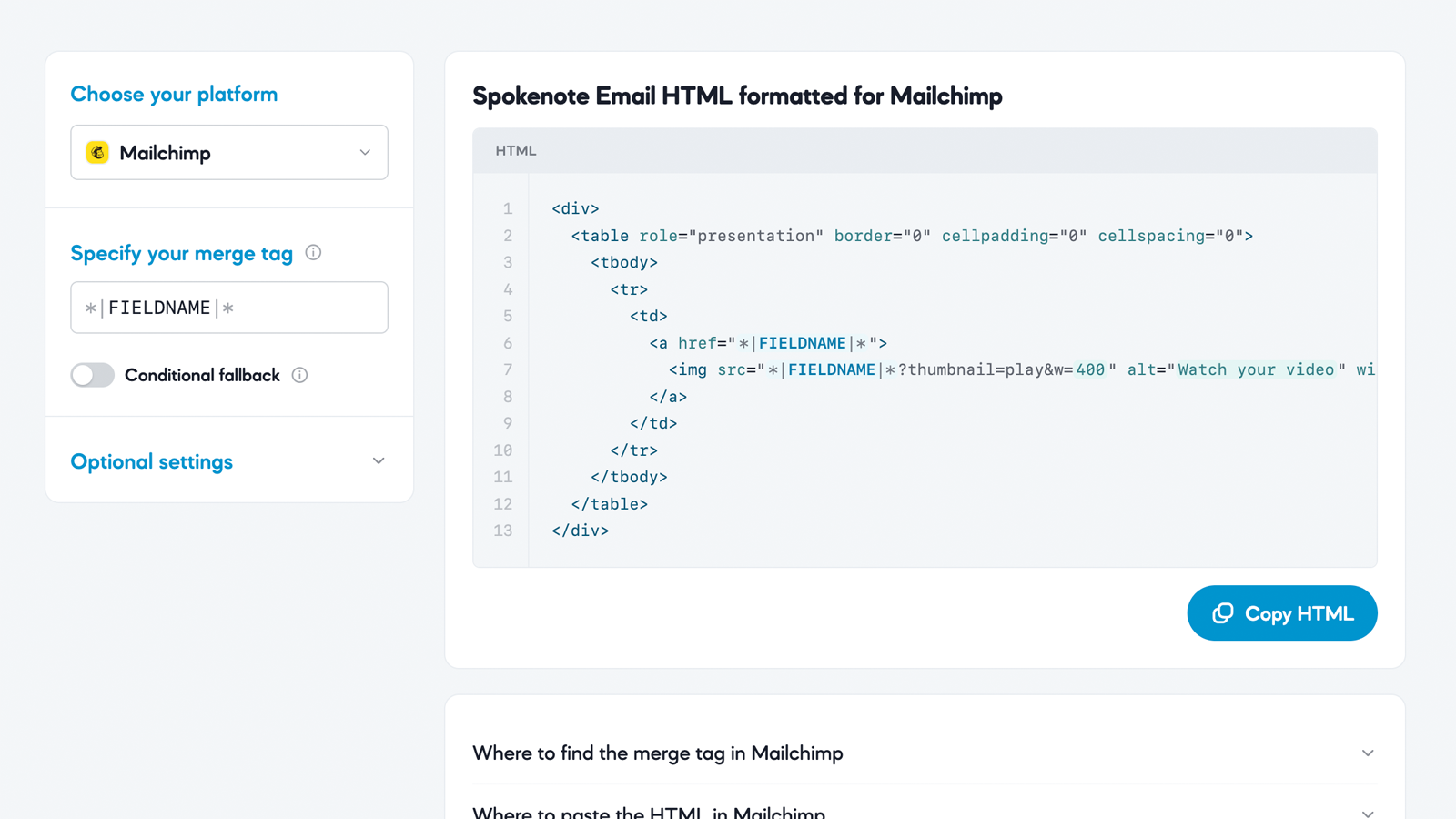
The new Email HTML Formatter generates the HTML that embeds a personal video thumbnail for every recipient, formatted for your email platform. Pick a platform, point it at your Spokenote URL field, and copy the code.
Placeholder draft. These notes were written from the public tool page and will be replaced with the real release notes.
Email HTML Formatter
A new standalone tool at emailhtml.spokenote.com generates the email HTML for embedding each recipient's personal Spokenote video in a campaign sent from your email platform. Pick your platform, point it at the field that holds each recipient's Spokenote page URL, set a fallback, adjust the thumbnail, and copy the HTML.
- Choose your platform. Select the email platform you send from. Mailchimp is available at launch.
- Specify your variable. Tell the tool which custom field holds each recipient's unique Spokenote page URL. This is the
SN_URLcolumn from your Spokenote CSV export, and the URL starts withhttps://spkno.co/a/.

Conditional fallback. Decide what a recipient sees when their field has no value, instead of a broken link: nothing, or a fallback video. Choosing the video option asks for a fallback Spokenote page URL.
Thumbnail settings
Max width. Control how large the video thumbnail appears in the email, in pixels.
Alt text. Describe the thumbnail for screen readers and for recipients who have images turned off.
Alignment. Place the thumbnail on the left, center, or right.
Get the code
Copy HTML. The generated HTML, formatted for your platform, appears in a panel with a Copy HTML button. Paste it into a code block in your email template.
Did this page help you?
Thanks for your feedback.